Find CAD
- Find CAD linked or imported into the file
- Occasionally handy
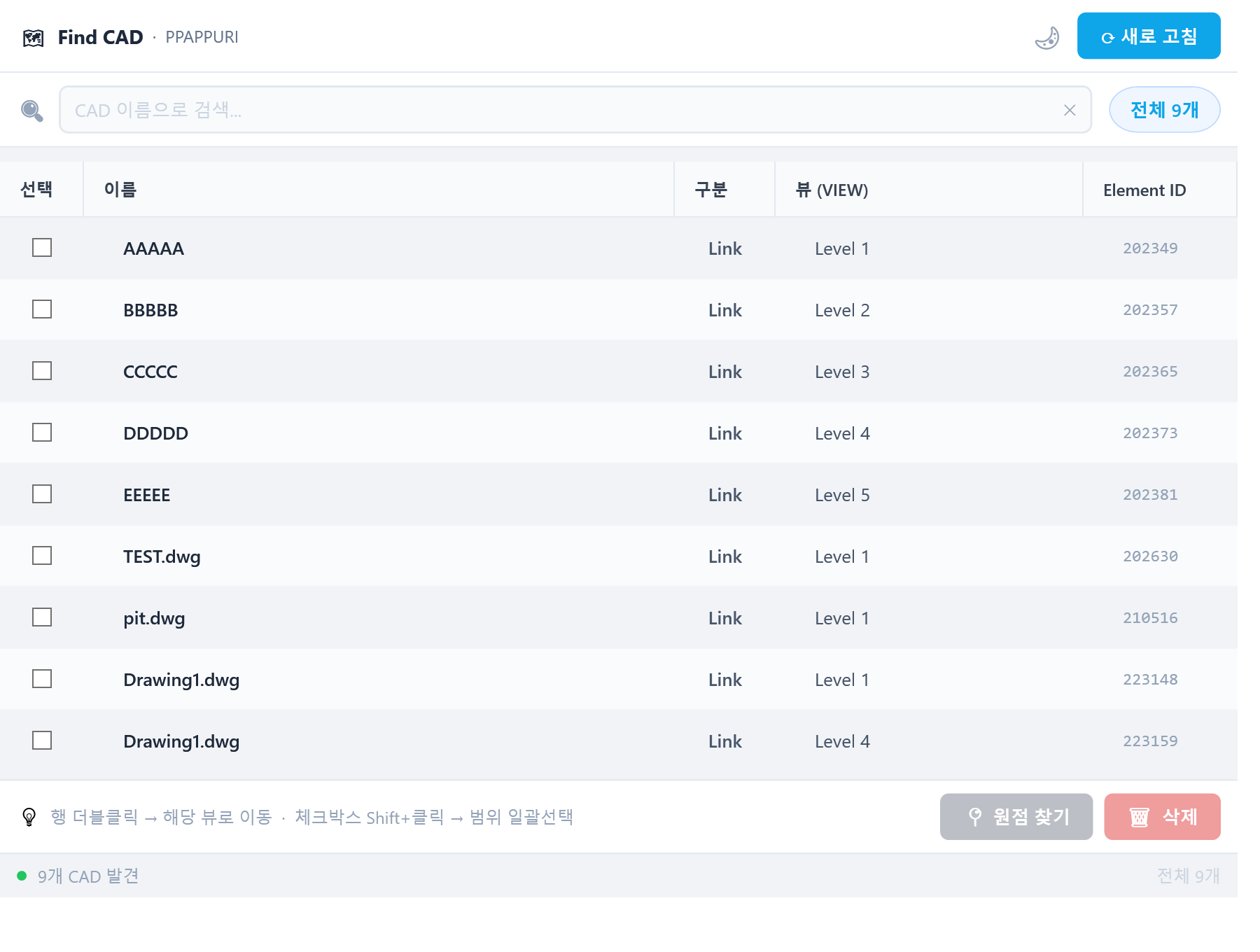
- Double-click to jump to the view containing that CAD file
Find View
- Brings the Project Browser search (native from Revit 2025) to earlier versions
- Also pops up when another feature needs you to choose a view
- Font size adjustable
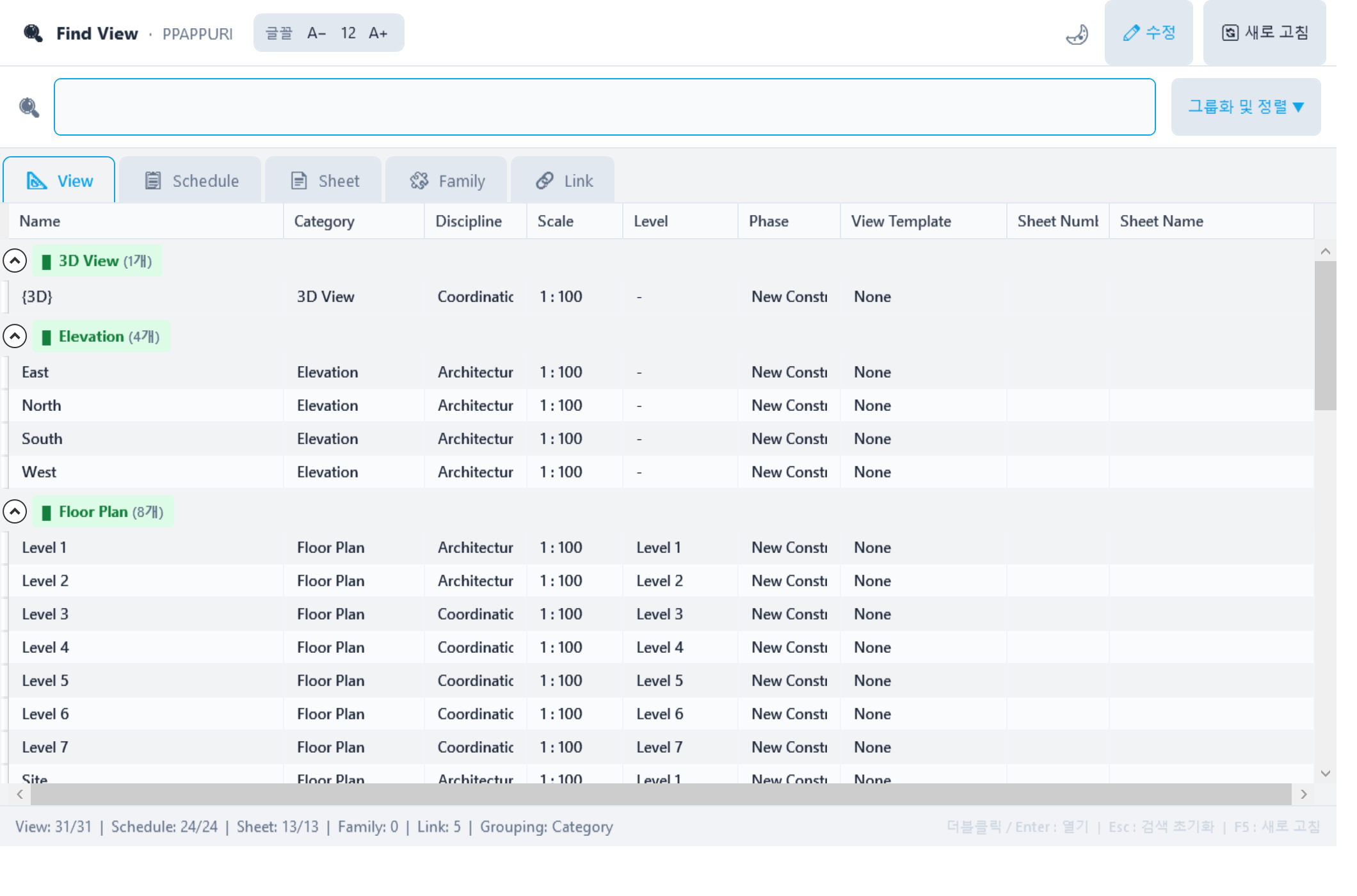
- Choose a top tab: View / Schedule / Sheet / Family / Link.
- Double-click a row → open that View / Schedule / Sheet
- Edit button → rename it.
- Group & sort → works like Browser Organization (built-in Revit feature)
Find Clash
- Find interfering elements (linked elements too)
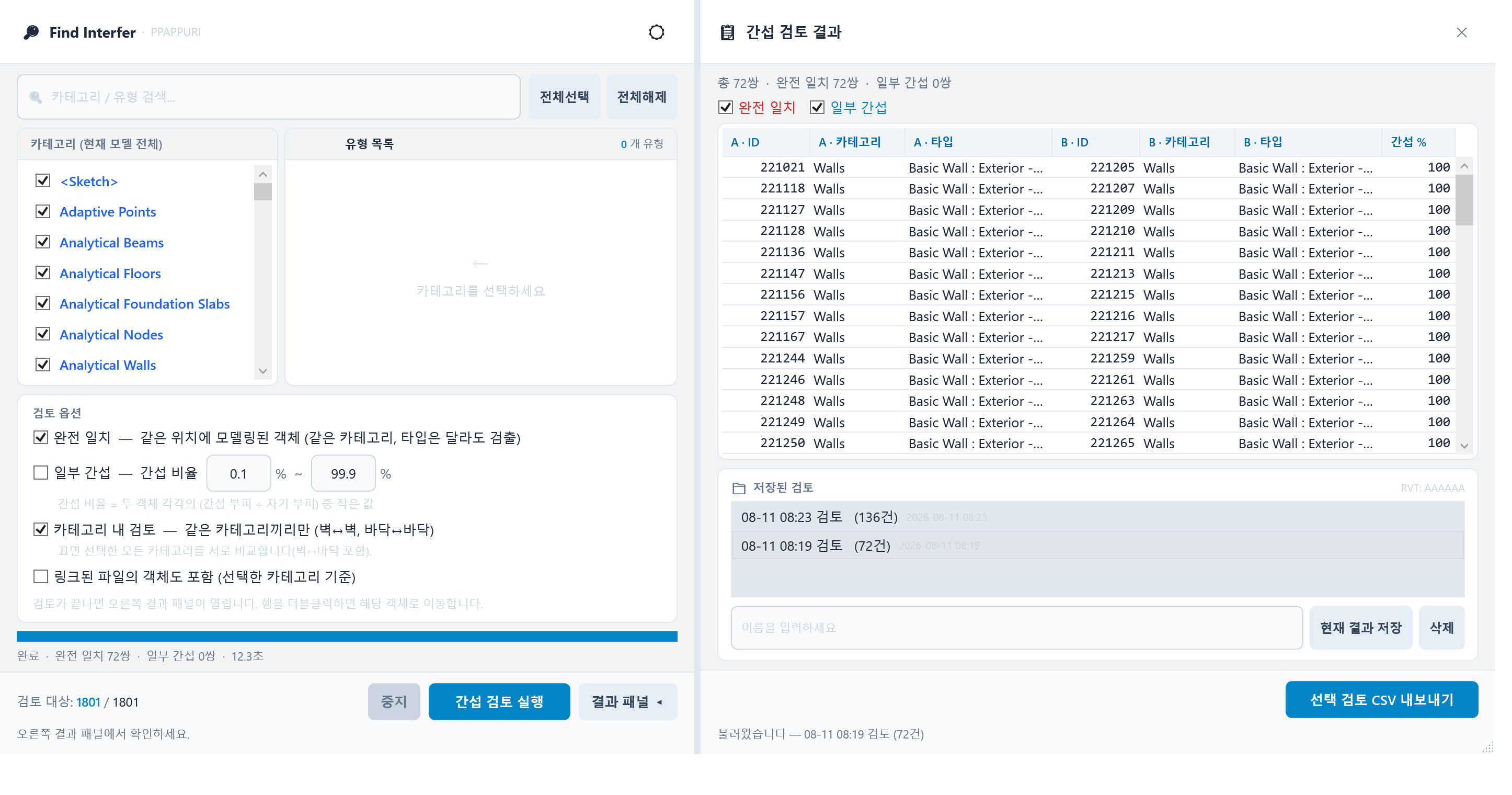
- Choose the categories to check
- Choose full overlap / partial interference and the options
- Double-click a row in the results to zoom to that element (not available for linked elements)